Leverage the latest viral tools provided by Facebook for websites. Use Facebook, the most popular way of sharing links, photos and other content as a powerful new driver of traffic for your community. This plugin generates high degree of user engagement & social interaction between your website & Facebook. Your users get great features and experience!
Facebook is fast becoming the most popular way of sharing links, photos and other content. It is becoming a powerful new driver of traffic for many sites.
This plugin enables your site to leverage the latest viral tools provided by Facebook for websites. It enables you to generate high degree of user engagement and social interaction between your website and Facebook, thus leading to increased popularity, increased registrations and growth in traffic. Moreover, this plugin allows websites to get branded without advertising by enabling them to push their content into Facebook's viral channels.
This plugin enhances the basic Facebook Integration in-built into SocialEngine.
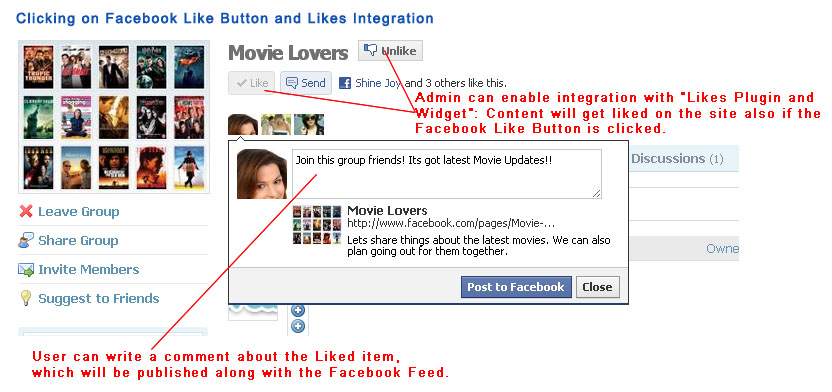
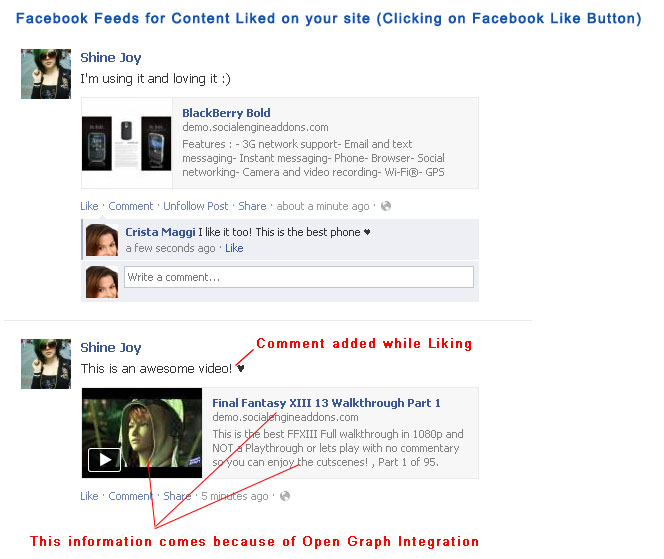
- The Like button lets a user share your content with friends on Facebook. When the user clicks the Like button on your site, a story appears in the user's friends' News Feed with a link back to your website.
- Users can add comment while sharing content on Facebook through this button.
- The button shows to the user his Facebook friends who have liked the content, thus attracting the user's attention.
- Both the Facebook Like Button and Open Graph Protocol form a powerful feature combination on your site. This plugin provides both of these!
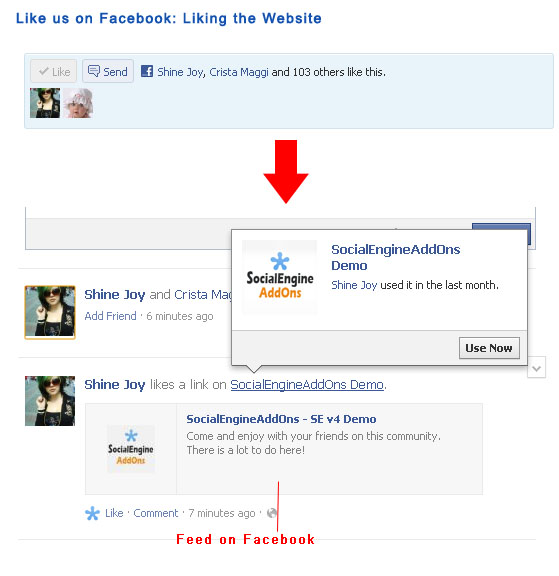
- Using this button, users can Like content, user profiles, as well as your site.
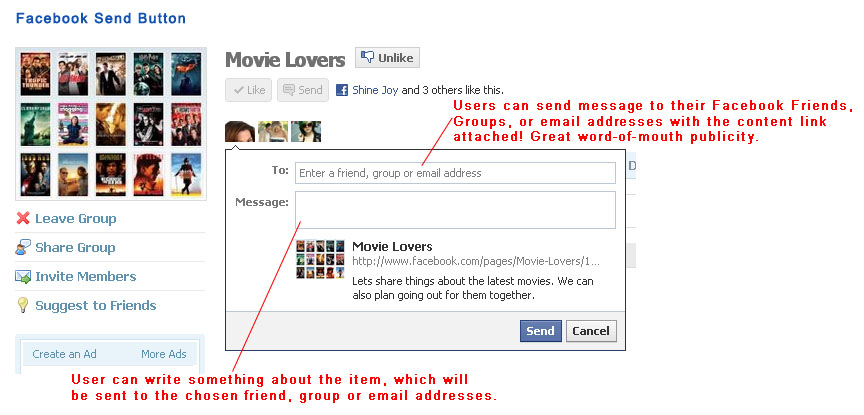
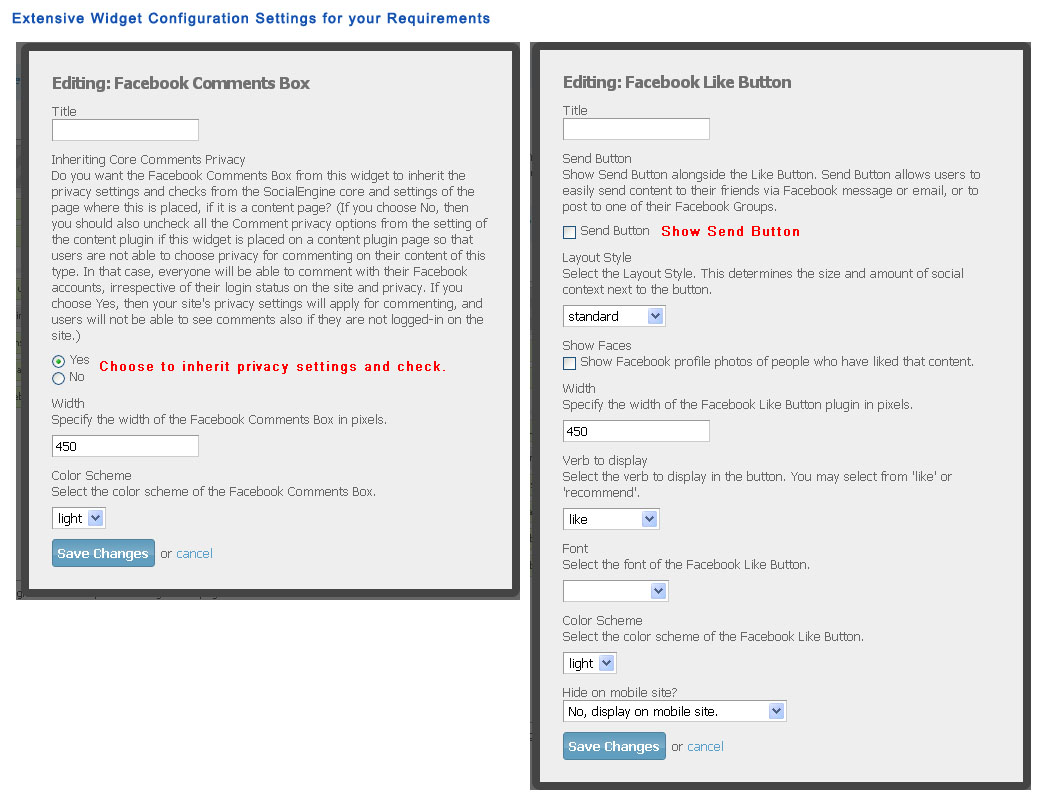
- New! Facebook Send Button: Along with Facebook Like Button, you can also have Send Button on your website. It allows users to easily send your site's content URL attached in a message to their Facebook friends, to the group wall of one of their Facebook groups, and as an email to any email address.
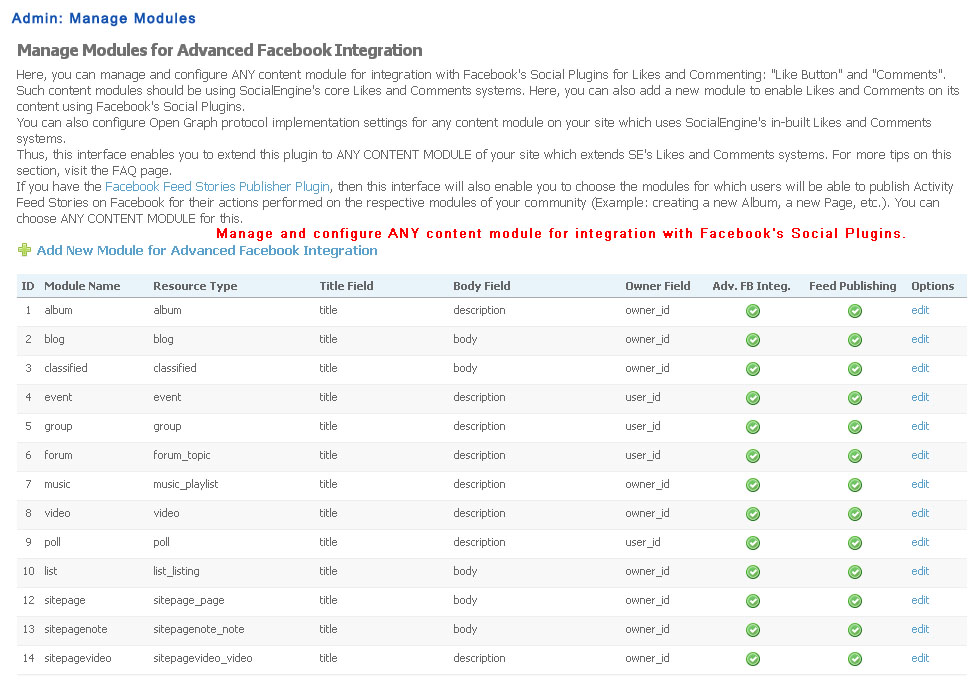
- Implementation of Facebook Like Button for content from 9 SocialEngine Plugins, Pages, Businesses, Documents, Listings and can be used with ANY 3rd-party plugin.
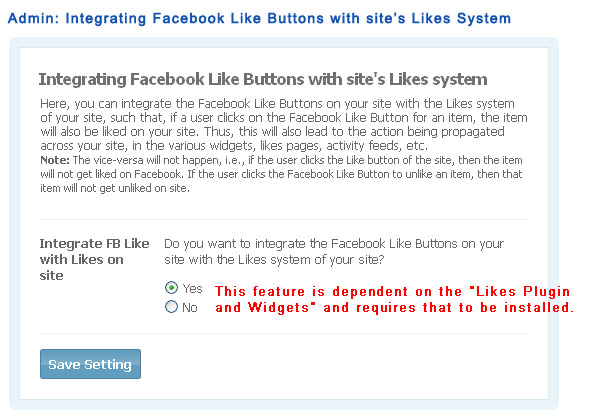
- Integration of Facebook Like Buttons with FREE "Likes Plugin and Widgets": If a user clicks on the Facebook Like Button for an item, the item will also be liked on your site. Thus, this will also lead to the action being propagated across your site, in the various widgets, likes pages, activity feeds, etc.
- Admin configurable Facebook Like Buttons provide high customization.
- Facebook Like Button Configurator allows admin to generate code for Facebook Like Button to be placed at any URL of choice.
- Implementation of Open Graph protocol for homepage and popular content from 9 SocialEngine Plugins, Pages, Businesses, Documents, Listings and can be used with ANY 3rd-party plugin.
- Open Graph protocol enables you to integrate your Web pages into the universal social graph.
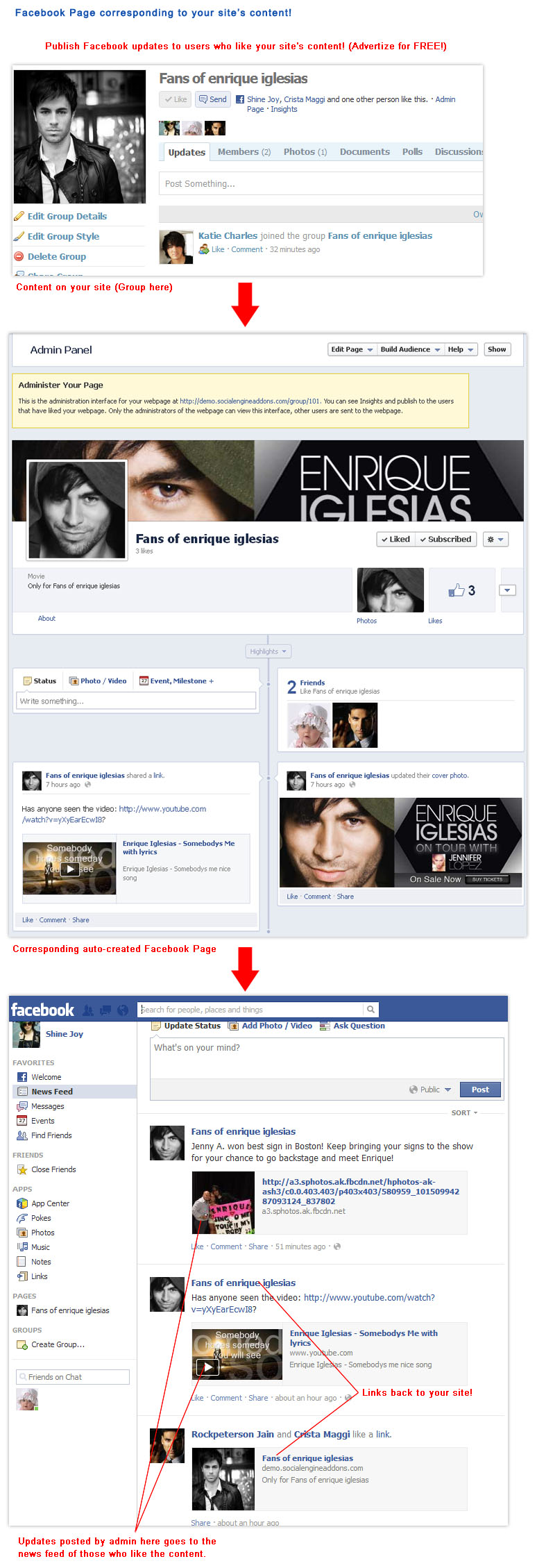
- Including Open Graph tags on your Web page, makes your Site's page equivalent to a Facebook Page!
- This means when a Facebook user clicks a Like button on a page of your site, a connection is made between your page and the user.
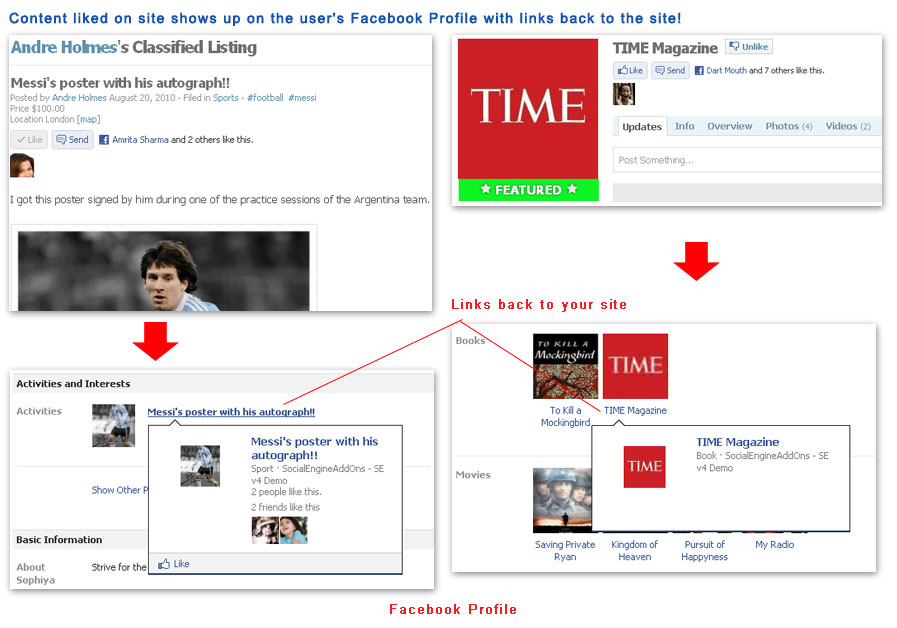
- Your page will appear in the 'Likes and Interests' section of the user's Facebook profile. This will link back to the webpage on your site.
- You will have the ability to publish updates to the user on Facebook. The updates will link back to your site.
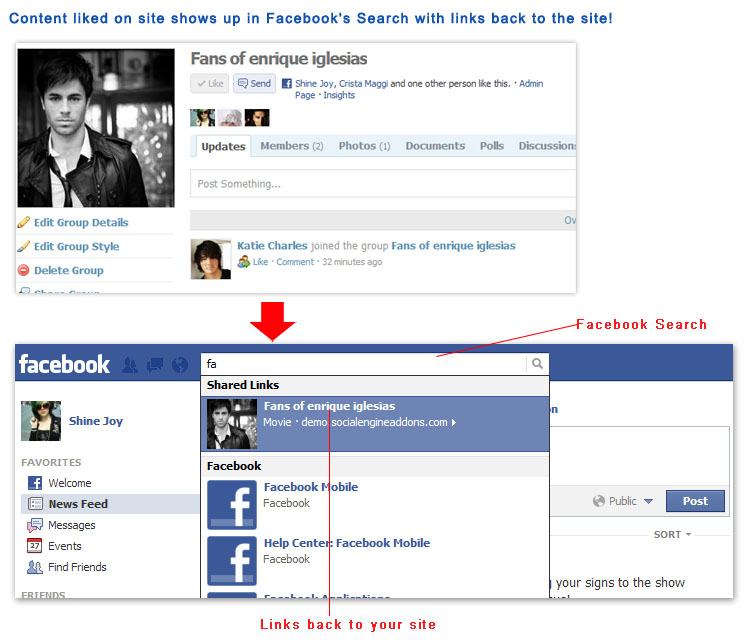
- Your page will show up in same places that Facebook pages show up around Facebook (e.g. Facebook Search, User Feeds, User Facebook Profiles, etc). These will link back to the webpage on your site.
- All this is like Advertizing for Free!
- You can also target ads on Facebook to people who Like your Site's content.
- Your site's content will be shown on Facebook along with your site URL and meta information like main picture, title, description, etc. For example, when a Group from your site appears on Facebook, it will show your site's URL, group title, group photo and group description. It will also link back to the group on your site.
- Admin can configure various meta information for the content pages, user profiles and homepage.
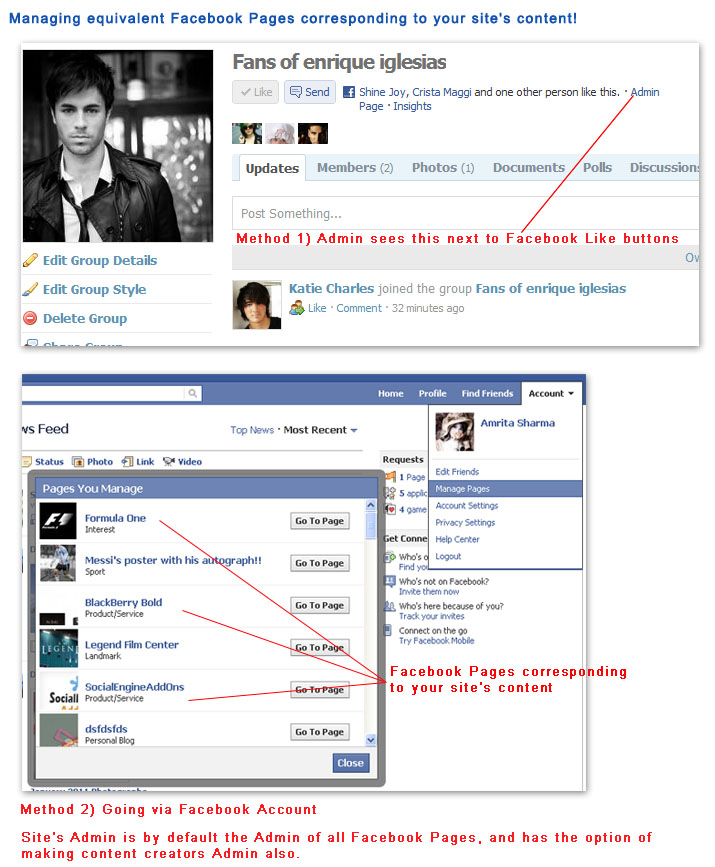
- Admin can choose the administrators of corresponding Facebook Pages for the various site's pages.
- Administrators can publish Facebook updates to users who have liked their content.
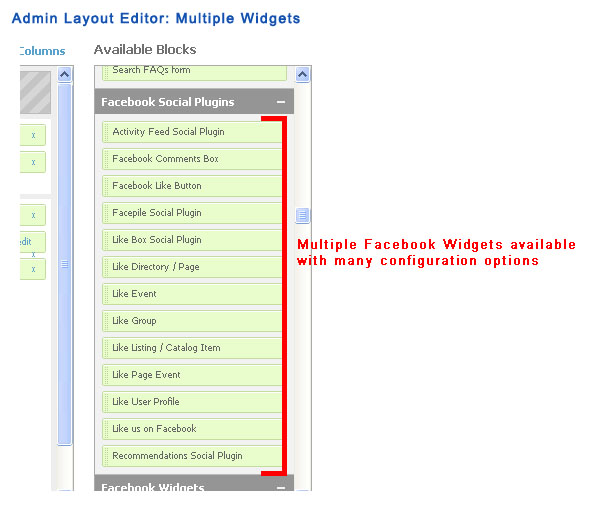
- Like us on Facebook: Contains Facebook Like Button for liking the website.
- More widgets and pages like: Facebook Friends on site, My Facebook Page, Invite Facebook Friends, etc are available through Facebook Friends Inviter and more plugin.
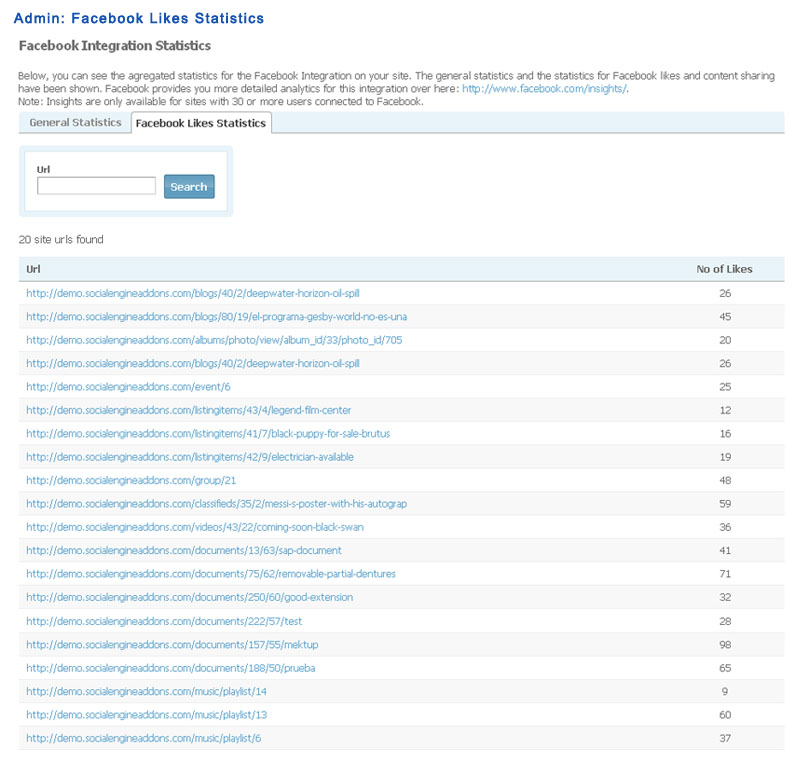
- Admin can see which all URLs from the site have been liked on Facebook, and the number of times they have been liked.
- Complete statistics for clicks on Facebook Like Buttons, analytics for Facebook Integration are also available on Facebook at: http://www.facebook.com/insights.
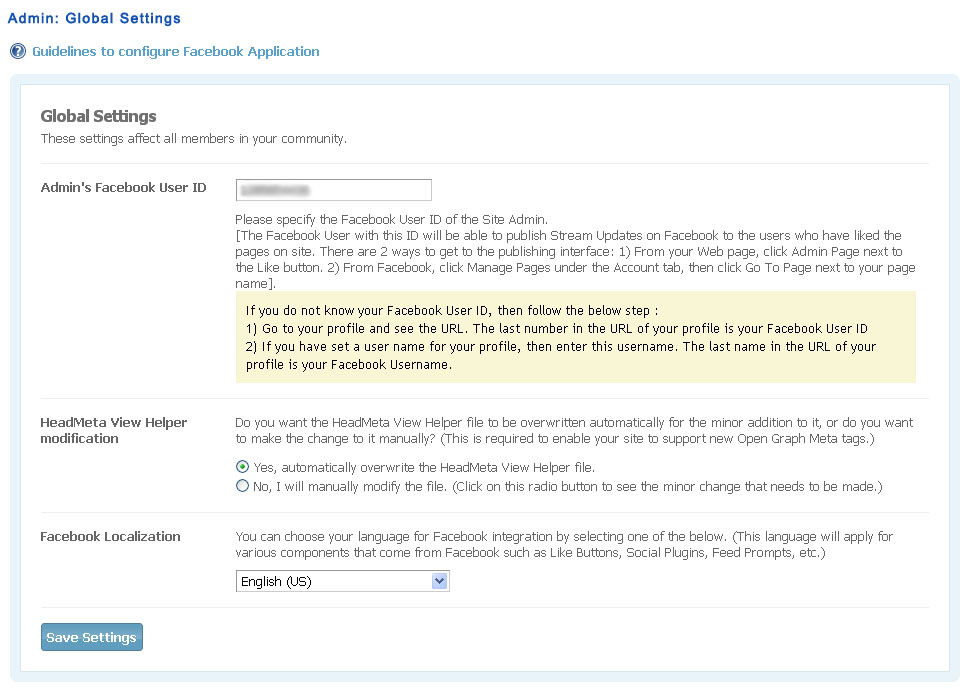
- Enter Facebook User ID of Facebook App Developer by whom Facebook App has been created, Site Admin becomes the default administrator of all corresponding Facebook Pages of the site.
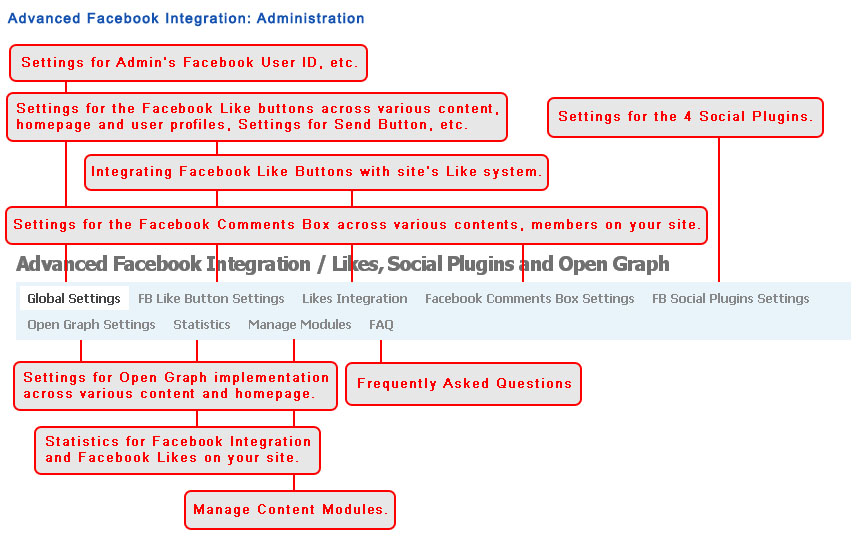
- Facebook Like Button Settings:
- Enable / disable buttons for the various content types, user profiles and site homepage.
- Configure design and layout settings for the buttons.
- Facebook Like Button Configurator: Generate code of Facebook Like Button to place it at any URL of choice.
- Likes Integration: Enable / disable integration of Facebook's Like Buttons with the Likes system of the site (feature dependent on the FREE "Likes Plugin and Widgets").
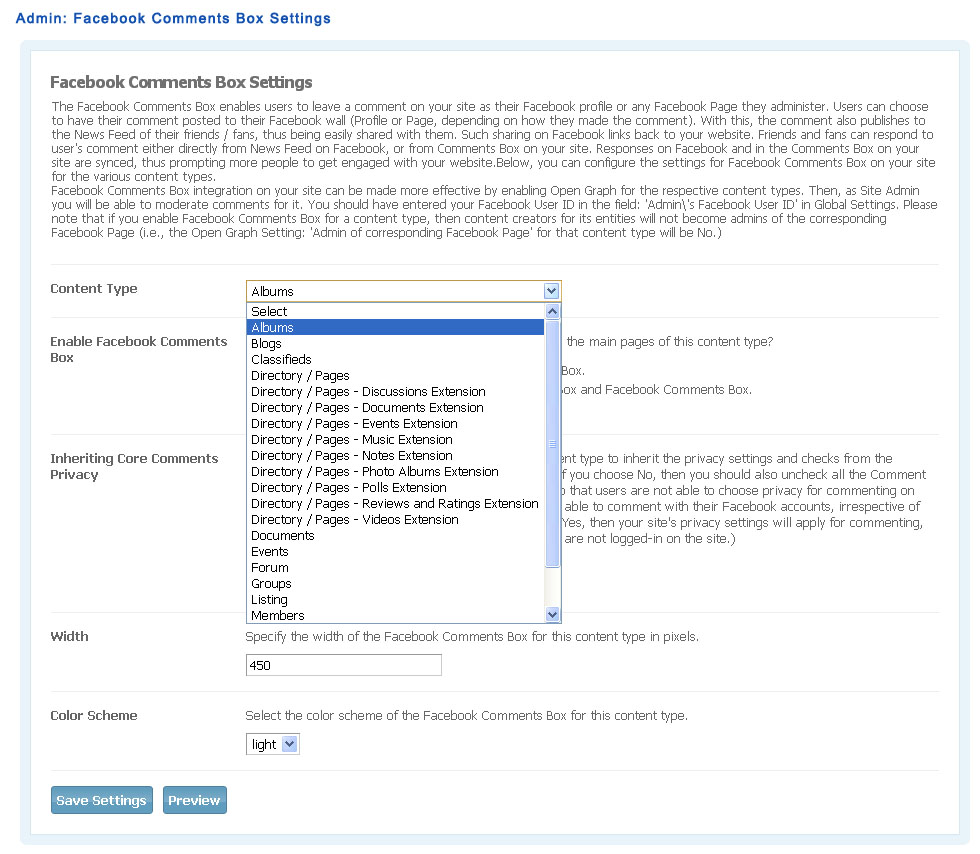
- Facebook Comments Box Settings:
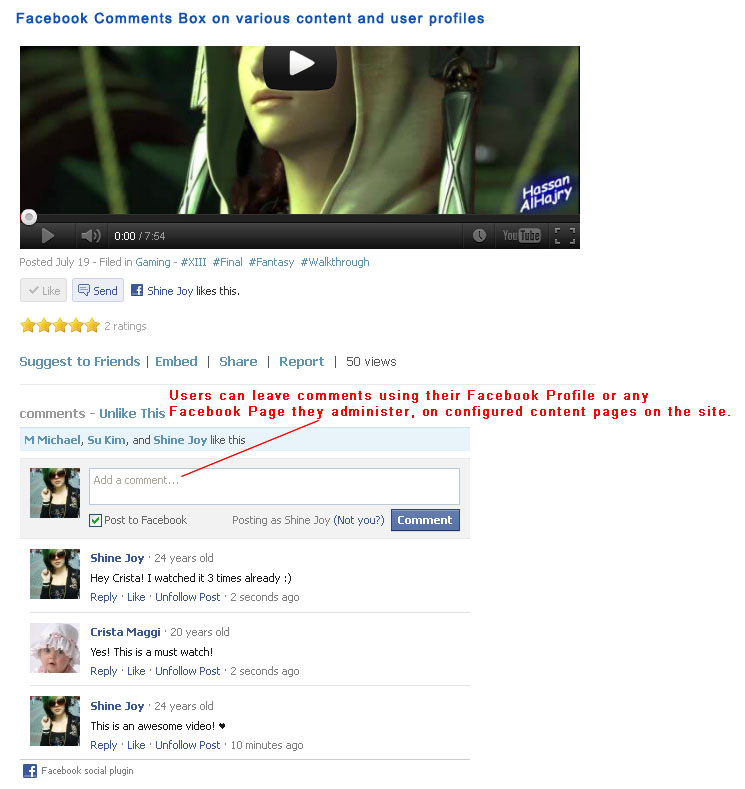
- Enable / disable FB Comments Box for the various content types having widgetized main content pages.
- Configure design and layout settings for the box.
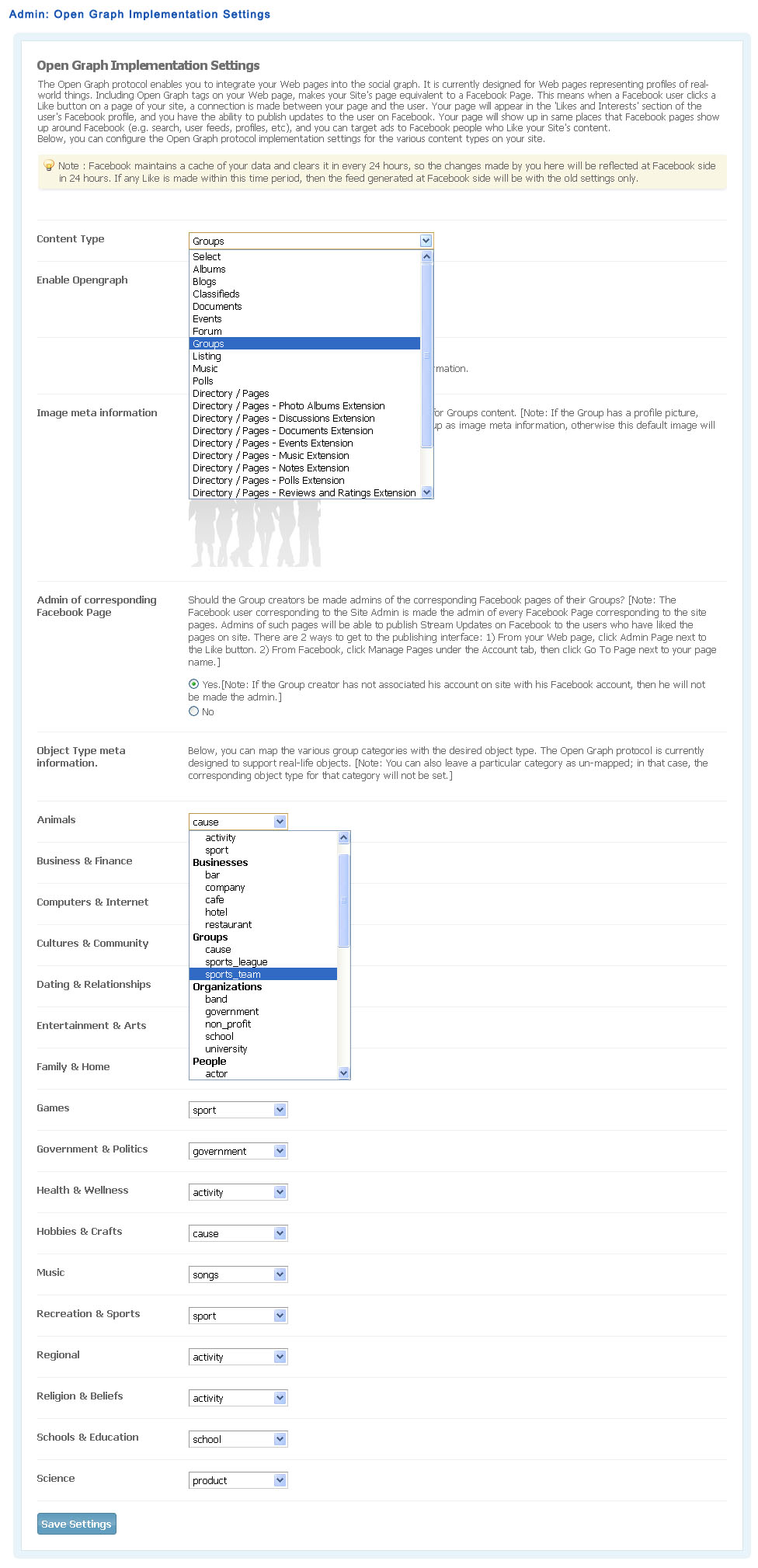
- Open Graph Implementation Settings:
- Configure the Open Graph Meta tags for the various content types and site homepage.
- Select if the content creators of the respective content types should be made admins of the corresponding Facebook Pages.
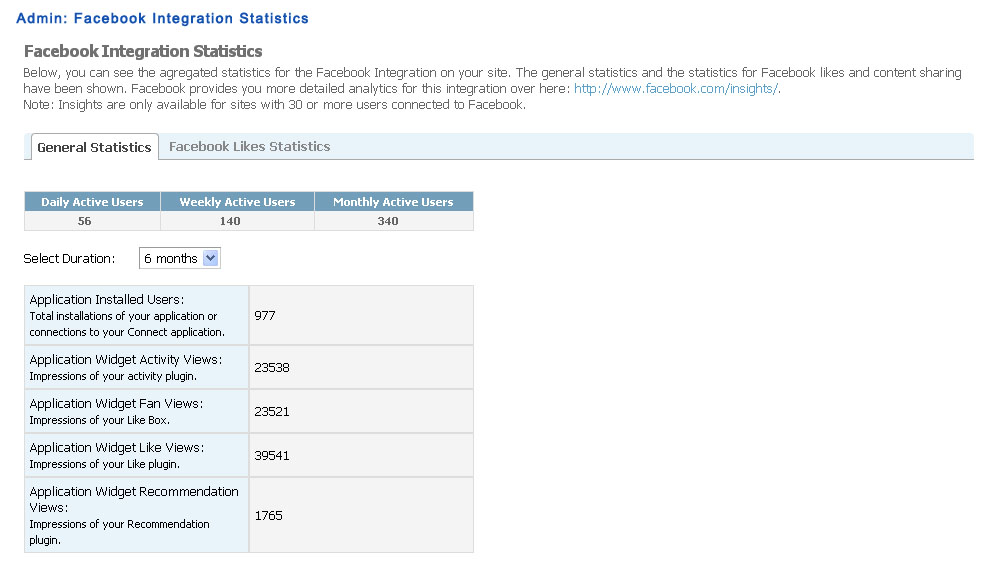
- View Statistics:
- General Facebook Integration statistics like number of active users, etc. These statistics can be viewed over multiple periods.
- Statistics for clicks on Facebook Like Buttons for various URLs of site.
- Control widgets.
The following is the requirement for this plugin:
- Create a free application on Facebook from the Application Developers page. Fill the required information in the About and Web Site sections of this application's settings.
- Integration with Likes system of SocialEngine (Likes Plugin and Widgets)
- Facebook Likes Statistics